A SASSA UIF registered declined result means a UIF record linked to your ID led SASSA to refuse that month. A record alone does not prove you were paid. Confirm your real position with the UIF, collect dated proof, and appeal the declined month if the record is wrong.
Contents (15 topics)
- If your screen says UIF registered, what happened?
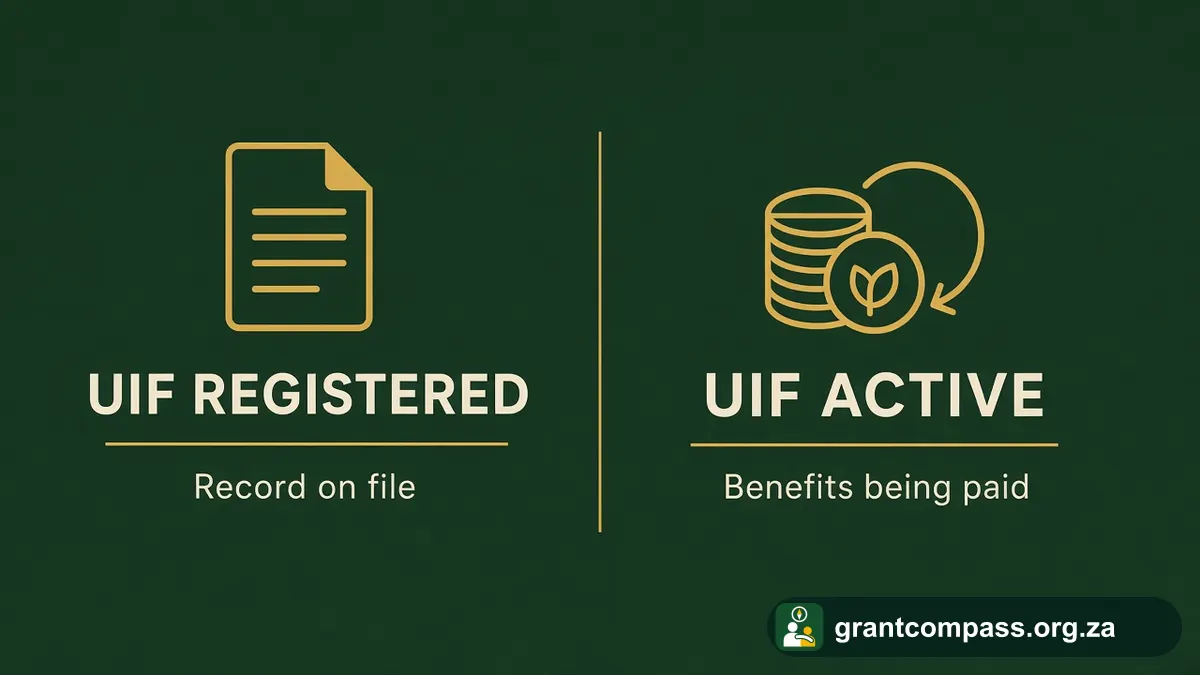
- Is being on UIF records the same as getting UIF money?
- Why does a SASSA UIF registered declined result appear without payments?
- Which situation applies to you?
- How do you check your real UIF position?
- What should you ask the UIF?
- How do you fix an incorrect UIF decline?
- What if your employer will not help?
- What if the UIF payment was real?
- Can you qualify for SRD in a later month?
- How do you follow up on the appeal?
- What if you see a claim or employer you do not recognise?
- Tips for a stronger UIF appeal
- Frequently Asked Questions
- Your best next step
If your screen says UIF registered, what happened?
SASSA compared your ID number with other government records and found a UIF link for the month it checked. The refusal applies to that month.
UIF is the Unemployment Insurance Fund. Workers and employers pay into it, and it pays benefits to people who qualify, for example after losing a job. SRD is meant for people with no support of that kind.
The trouble is timing. Records are not always updated quickly. A job that ended months ago may still look active somewhere.
Is being on UIF records the same as getting UIF money?
No, these are different situations, and your appeal depends on which one is yours.
| Your situation | What it means | Likely next move |
|---|---|---|
| UIF benefits paid into your account that month | You had other support | The refusal is probably correct for that month |
| Claim approved but nothing received | Money may be due to you | Follow up with the UIF and get it in writing |
| You contributed at an old job, no claim | A record exists, but no benefit | Get proof and appeal |
| Job ended, employer never updated records | You may still look employed | Ask the employer to submit the correct declaration |
| You never worked or claimed | Possible error or misuse of your ID | Query it with the UIF and report concerns |
Do not guess which row fits. Ask the UIF.
Why does a SASSA UIF registered declined result appear without payments?
The checks read records, and records can be old, incomplete or wrong. Several things can cause a mismatch.
- Your employer did not report that your job ended.
- A claim was opened and never closed properly.
- You still have credits that could lead to a claim.
- Your benefit stopped recently and the update is still moving.
- Someone captured the wrong ID number.
We could not find a current official SASSA document that explains exactly which UIF entries trigger a refusal. Treat any website that states a precise rule with care.
Which situation applies to you?
Answer four questions with a yes or no before you contact anyone.
- Did UIF money reach any account of yours in the declined month?
- Do you have an open claim or an unpaid approved claim?
- Did you leave a job in the last few years?
- Did your last employer give you termination papers?
A yes to question one means you should read the amounts and dates carefully. A no to all of them suggests a record error worth challenging.
How do you check your real UIF position?
Ask the Department of Employment and Labour, which runs the UIF. You have online, phone and in-person choices.
Online
The department has moved claims to its UIF Online service, listed as uifonline.labour.gov.za. Register or sign in, then look for your claim history and payments. Online systems change, so confirm the address through labour.gov.za.
By phone
The UIF call centre number published by the department is 0800 030 007. Have your ID number and any UIF reference ready. Ask the agent for a reference number for your call.
In person
Visit a Labour Centre with your ID. Ask for a printout or letter that shows claims, payments and dates. This is often the strongest proof you can get.
| Route | Best for | What you should leave with |
|---|---|---|
| UIF Online | People with data and a smartphone or computer | Saved screenshots with dates |
| Call centre | A quick first answer | A call reference number |
| Labour Centre | Written proof and record errors | A letter or printout |
What should you ask the UIF?
Ask short, direct questions and write down each answer.
- Is there a claim linked to my ID number?
- What is its status today?
- Which dates did payments cover?
- When was the last payment made?
- Which employer records still show me as working?
- What must happen to correct a wrong entry?
Ask specifically about the month SASSA refused. A letter about today may not answer a question about three months ago.
How do you fix an incorrect UIF decline?
Correct the UIF record first where needed, then appeal SASSA's decision. Do both, because one does not automatically do the other.
- Save the SASSA refusal showing the month and reason.
- Check your UIF position using one of the routes above.
- Ask your old employer to submit missing termination information.
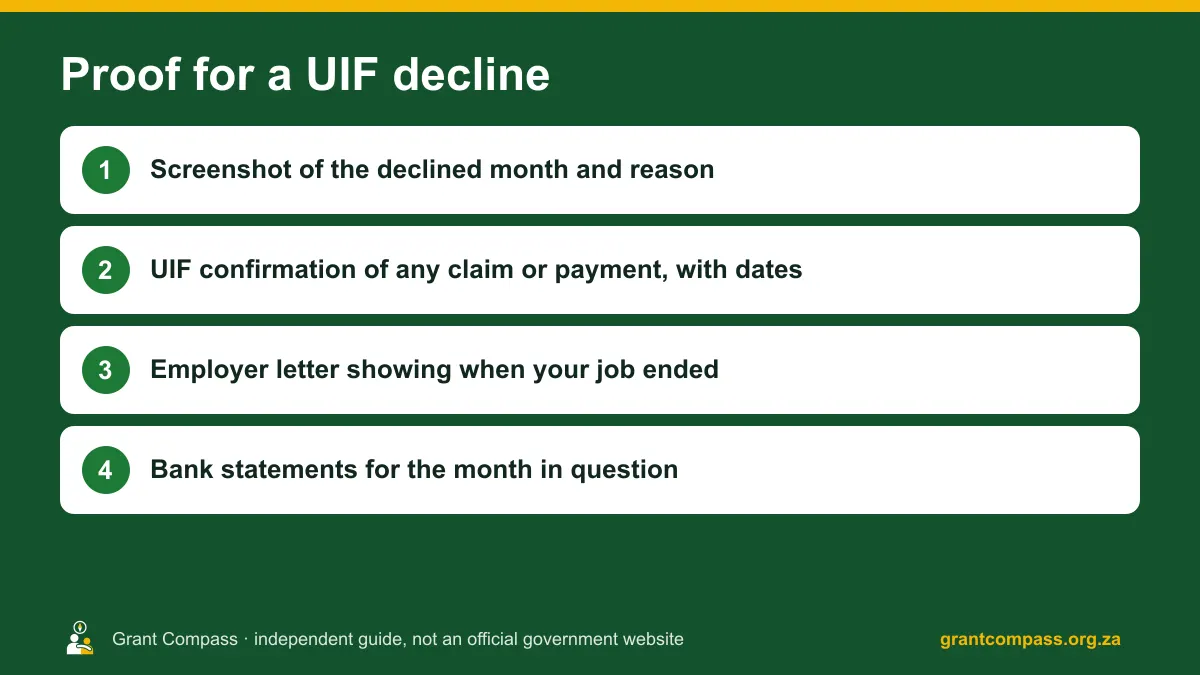
- Collect a UIF letter or printout that covers the declined month.
- Open https://srd.sassa.gov.za/appeals.
- Sign in with your ID number, phone number and the code sent to you.
- Choose the declined month and the UIF reason.
- State the facts in a few sentences and add proof if the form allows.
- Submit and save the confirmation.
Appeal within 90 days of the decision, even if the UIF correction is still in progress. Waiting for the letter can cost you the deadline.
For a slower walk through the form, see How to appeal SRD decisions.
What can you write in the explanation?
Keep it factual. For example: "I did not receive UIF benefits for this month. My job ended on the date shown in the attached letter. Please review the record." Only write what is true and what you can support.
What if your employer will not help?
Go to a Labour Centre and explain that the employer has not updated your record. Take anything that shows the job ended.
Useful items include a termination letter, a final payslip, a resignation letter, or messages from the employer. If the business has closed, say so and bring what you have. Ask the centre what it accepts instead of employer papers.
What if the UIF payment was real?
If you were paid UIF benefits in that month, the refusal is probably right for that month. An appeal that denies a real payment will not help you.
Your position can change once benefits end. Keep checking later months, and keep proof of the date your last payment was made. If a later month is still refused after payments stopped, appeal that month with the proof.
Can you qualify for SRD in a later month?
Yes, if you meet all the rules in that month and the records show it. Each month is assessed on its own.
You must still pass the income test and the other conditions. Our guide to Declined reasons sets them out. If your later month shows no decision yet, read about Pending status.
If money from UIF made you look like you had income, see How SRD money checks work.
How do you follow up on the appeal?
Check the appeals page with the same ID number and phone number you used to submit. Official guidance has mentioned 60 to 90 days for a tribunal decision, though it can take longer.
Our guide to Appeal outcomes explains what each result means. If the appeal succeeds, confirm your Banking details are correct so payment is not delayed.
What if you see a claim or employer you do not recognise?
Report it to the UIF in person and ask for an investigation. An entry you do not know about may be a capturing error or misuse of your ID. Take your ID, ask for a case or reference number, and say in your appeal that you have queried the record.
Tips for a stronger UIF appeal
These habits make your case easier to understand.
- Match the month. Check that every document speaks about the refused month. A recent letter with no dates is weak.
- Ask for writing. A phone answer is hard to prove. Request a letter, printout or email.
- Keep reference numbers. Record the number, date and time of each call. It saves repeating your story.
- Label your files. Name each file by month and subject. You will upload the right one first time.
- Photograph papers well. Use daylight and show all four corners. Blurry pages may be useless.
- Check later months. A record error often repeats. Appeal each affected month separately.
- Stay honest. Admit real payments. A false statement damages your credibility and can have consequences.
- Protect your login details. The UIF and SASSA do not need your bank PIN. Never share it.
- Avoid paid agents. You can check UIF and appeal yourself. Free help is available at offices.
Frequently Asked Questions
What does SASSA UIF registered declined mean?
It means SASSA refused the SRD month because a UIF record linked to your ID suggested you had that kind of cover or support. It does not by itself prove you received money. Confirm your position with the UIF, then appeal the month if the record is wrong or outdated.
I never received UIF money. Why was I declined?
A record can exist without any payment to you. An employer may not have reported that your job ended, a claim may still be open, or details may be wrong. Ask the UIF what is linked to your ID number. Get proof that covers the declined month, then appeal.
How do I check if I am registered for UIF?
Contact the Department of Employment and Labour through UIF Online, the call centre on 0800 030 007, or a Labour Centre. Have your ID number ready. Ask for claim history, payment dates and any employer records that still show you as working. Save or print whatever you are shown.
Can I appeal a UIF registered decline?
Yes, you can appeal if you believe the decision is wrong for that month. Use the SRD appeals page, choose the declined month and explain the facts briefly. Appeal within 90 days of the decision. Add UIF or employer proof if the form accepts documents, and save your confirmation.
Do I need to deregister from UIF to get SRD?
Do not assume you can simply remove yourself, because UIF records reflect employment and claims history. Ask the UIF to correct anything that is inaccurate, such as an old job still shown as current. Then appeal with their written answer. The facts for the specific month matter most.
My UIF ended. When will SRD approve me?
No fixed date is guaranteed. Each month is checked separately, and records can take time to update. Keep proof of your last UIF payment date. If a month after that date is still refused for UIF, appeal it. Continue to check your status on the official portal.
What if my old employer still shows me as employed?
Ask the employer to submit the correct information to the UIF, and keep a record of your request. If they do not respond, visit a Labour Centre with your ID and proof the job ended. Appeal the SASSA month while you wait, so the deadline does not pass.
Which documents help a UIF appeal?
A dated UIF letter or printout is usually the most direct proof. A termination letter, final payslip and bank statements for the month can support it. Screenshot the SASSA refusal too. Choose documents that answer the question: did you get UIF support during the declined month?
Will an appeal cost me anything?
Lodging an SRD appeal does not require a fee. You may spend money on data, transport or copies. Be careful with anyone who asks for payment to submit or speed up an appeal. If you need help, SASSA offices and the toll-free line 0800 60 10 11 can guide you.
Can UIF and SRD run at the same time?
Receiving UIF benefits is treated as having another source of support, so you should expect a refusal for months where benefits are paid. A contribution history with no current benefit is a different matter. If you are unsure which applies, confirm your payment dates with the UIF before appealing.
Your best next step
Get written UIF proof for the refused month, and lodge your appeal before the 90 days run out. If you cannot get the letter in time, submit with what you have. Use the SRD status check to watch your other months while you wait.
Sources
- You and Your Grant (SASSA booklet 2026)
- Department of Employment and Labour: UIF contacts
- Minister corrects misinformation regarding UIF online claims platform
- SRD appeals information

About The Author
Michael Williams is an informational content writer focused on South African social grants, SASSA services and public assistance information.
Keep Reading